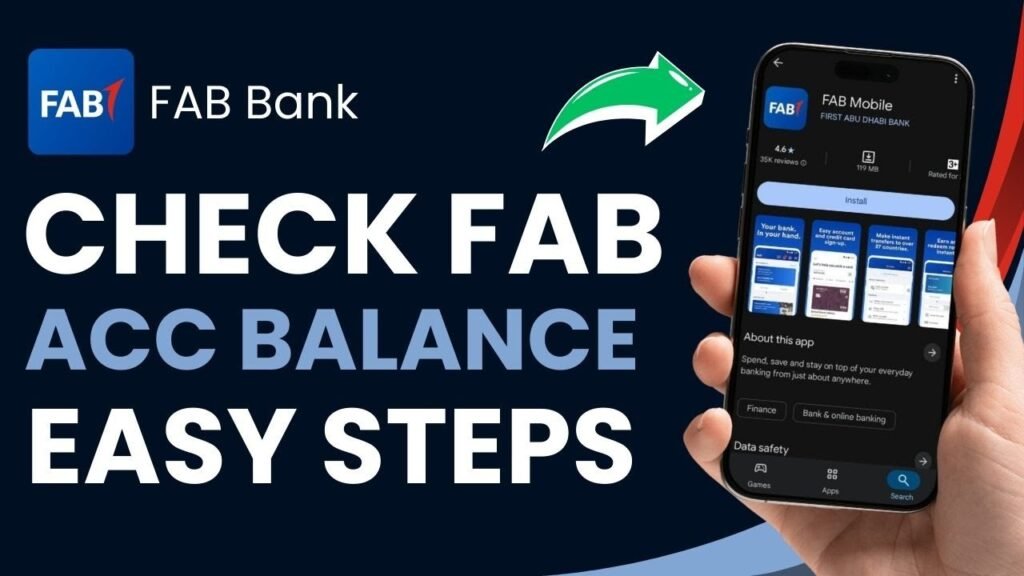

: 5 Easy Ways to Check Your Account Balance
in the UAEKeeping track of your bank balance is an important part of managing your everyday finances. Whether you are waiting for your salary, checking a recent payment, planning your monthly expenses, or simply making sure there is enough money in your account, a quick balance check can help you stay informed.First Abu Dhabi Bank (FAB) provides several ways for customers in the UAE to check their account balance. Depending on your preference, you can use the FAB Mobile app, online banking, an ATM, SMS banking, or phone and branch services.This guide explains each option in simple steps and includes useful security tips for checking your FAB account safely.Why Should You Check Your FAB Bank Balance Regularly?Regular balance checks can help you keep better control of your money. A quick check can help you:- Confirm that your salary or other expected payment has been credited- Keep track of recent spending and withdrawals- Make sure you have sufficient funds for bills and upcoming payments- Identify transactions you do not recognise- Avoid declined card payments caused by insufficient funds- Monitor your account for unusual activity- Plan your monthly budget more effectivelyFor everyday banking, checking your balance regularly can also help you notice potential problems before they become more serious.
1. Check Your Balance
Using the FAB Mobile AppFor customers who regularly use smartphones, the FAB Mobile app is one of the most convenient ways to access account information.After signing in, you can generally see your accounts and available balances from the main screen. Depending on your account and the services enabled for you, the app can also provide access to transaction details, transfers, bill payments, card management, and other banking services.How to Check Your FAB Balance on the Mobile App1. Download the official FAB Mobile app from your device’s authorised app storeand sign in using your registered banking credentials.3. Complete any required security verification.4. Open the relevant account from your account overview.5. Check the displayed available balance and recent transactions.If biometric authentication is available on your device and has been activated for your account, you may also be able to use it for a faster login.Why Use the FAB Mobile App?The main advantage is convenience. You do not need to visit an ATM or branch, and you can access your account whenever you have a suitable internet connection.However, always download banking applications from official sources and make sure you are using the genuine FAB application.2. Check Your FAB Balance Through Online BankingIf you prefer using a laptop or desktop computer, FAB’s online banking service provides another way to access your account.Steps to Check Your Balance Through FAB Online Banking1. Go to the official FAB website.
2. Select the appropriate
online banking login option.3. Enter your registered login details.4. Complete the required verification or security step.5. Select the account you want to check.6. Review your available balance and recent account activity.Online banking can be particularly useful if you want to review transactions on a larger screen or perform other banking tasks at the same time.Important: Always access online banking through the official FAB website rather than through links received in unexpected emails, text messages, or social media messages.3. Check Your Balance at a FAB ATMAn ATM is a useful option when you do not want to use mobile or online banking.You can use a suitable FAB ATM and follow the on-screen instructions to access the balance inquiry service available for your card.General Steps for an ATM Balance Inquiry1. Insert your eligible card into the ATM.2. Enter your card PIN.3. Select the balance inquiry option.4. Follow the instructions displayed on the screen.5. Review the balance shown by the ATM.6. Take your card and receipt, if applicable, before leaving.ATM menus can vary depending on the card and machine, so follow the instructions displayed on the screen.If your account has recently received a payment or a transaction has just been processed, remember that some transactions may take time to appear or may initially show as pending.4. Use FAB SMS BankingSMS banking can be useful for customers who want to access certain banking information without relying on a mobile data connection.The exact SMS format, registration process, keywords, and available services can change over time. Therefore, customers should use the current instructions published by FAB through its official channels rather than relying on old SMS codes found on third-party websites.
fab bank balance check
How SMS Balance Checking Generally Works1. Make sure your mobile number is registered with FAB.2. Check the latest SMS banking instructions provided by FAB.3. Send the required request in the specified format.4. Wait for the bank’s response.5. Review the balance information provided.Your mobile network provider may apply standard SMS charges. SMS services can also be subject to availability and may not provide the same level of account information as the FAB Mobile app or online banking.5. Contact FAB by Phone or Visit a BranchIf you cannot access the app, online banking, or an ATM, contacting FAB directly may be another option.Customers can use the current customer-care number published on FAB’s official website. Before account information is provided, the bank may require
3 identity verification
.You can also visit a FAB branch if you need assistance with your account or banking services.What Should You Take to a Branch?Depending on the service you need, you may be asked to provide identification or other account-related information. Carrying your Emirates ID and relevant banking documents can help make the process easier.Never provide your PIN, password, or one-time authentication code to someone claiming to be a bank representative.How to Check a FAB Salary or Prepaid Card BalanceFAB offers banking and card products designed for different customer groups, and the available balance-checking options can depend on the specific card or account.For example, customers using salary-related products such as Ratibi should check the official FAB information applicable to their particular card.Depending on the product, balance information may be available through digital banking, an ATM, or another channel supported by FAB.If an option does not work for your card, check the official FAB website or contact the bank to confirm which balance-checking methods are currently supported.Current Balance vs Available Balance: What’s the Difference?When checking your account, you may notice that the current balance and available balance are not always identical.This can happen because of pending transactions, card payments, temporary holds, recently initiated transfers, or other account activity.For example, if you have recently made a card purchase, the transaction may affect the amount available to you even though the transaction has not yet been fully posted to your account.If the difference remains unexplained or appears unusual, review your recent transactions and contact FAB through an official channel.What to Do If Your FAB Balance Looks WrongIf the balance shown in your account does not match your expectations, do not immediately assume that there is an error.First, review your recent transactions and look for:- Recent card purchases- Pending transactions
4- ATM withdrawals–
Bank transfers- Direct debits or recurring payments- Recently reversed transactions- Fees or other account chargesIf you still cannot explain the difference, contact FAB using the official customer-service channel or visit a branch.If you notice a transaction that you did not make, report it to the bank as soon as possible.FAB Balance Check: Which Method Should You Use?The right option depends on your situation.Method| Best For| Internet Required?FAB Mobile App| Fast everyday balance checks| YesFAB Online Banking| Checking accounts on a computer| YesFAB ATM| Customers who prefer an ATM| NoSMS Banking| Basic requests without mobile data| NoPhone/Branch| Personal assistance and account support| Not necessarilyFor routine balance checks, digital banking is generally the most convenient because it can provide both balance information and transaction history in one place.Important Security Tips for FAB CustomersBanking information should always be handled carefully. Follow these basic precautions whenever you check your account:Use Official FAB ChannelsDownload the FAB app only from an authorised app store and access online banking through the official FAB website.Never Share Your PIN or OTPDo not disclose your PIN, password, OTP, or other security credentials to anyone. Be especially cautious if someone contacts you unexpectedly and asks for a verification code.Avoid Suspicious LinksDo not use banking links received through unexpected emails, text messages, WhatsApp messages, or social media.Instead, open the official FAB website or app yourself.Check Transactions RegularlyDo not look only at the balance. Reviewing recent transactions can help you identify unfamiliar activity quickly.Be Careful on Public NetworksAvoid performing sensitive banking activities over unsecured public Wi-Fi whenever possible.Keep Your Contact Details UpdatedMake sure the bank has your current mobile number and other required contact information so you can receive important account notifications.Frequently Asked Questions About FAB Bank Balance ChecksIs a FAB balance check free?Balance checking through digital banking is generally available without a separate balance-inquiry fee, although charges can depend on the specific service, account, card, or transaction. Mobile network charges may also apply when using SMS services.Check FAB’s current fee information for the latest details.Can I check my FAB account balance from outside the UAE?If your FAB digital banking service is active and you have a suitable internet connection, you may be able to access your account while travelling outside the UAE.Make sure you have access to any required authentication method before travelling.Why is my available balance different from my current balance?The difference may be caused by pending card transactions, holds, transfers that have not yet been fully processed, or other recent account activity.Review your transaction history to understand the difference. If you cannot identify the reason, contact FAB through an official channel.Can I check my FAB balance without internet?Yes, depending on your account or card, you may be able to use an ATM or an available SMS banking service. Phone banking may also be available for supported services.The exact options can vary, so confirm the current services offered for your particular FAB product.What should I do if I forget my FAB online banking password?Use the official password-recovery or login-help option provided by FAB. If you cannot recover access through the available digital options, contact
5 FAB customer support

Through the official website.Never share your password or OTP with another person who offers to recover your account for you.Can I check my salary card balance?The available balance-checking methods depend on the specific salary or prepaid card. FAB customers using products such as Ratibi should follow the current instructions provided by FAB for that product.What should I do if I see an unfamiliar transaction?Review the transaction details first. If you still do not recognise it, contact FAB promptly through an official customer-service channel and follow the bank’s instructions for reporting the transaction.Final ThoughtsChecking your FAB bank balance does not have to be complicated. Depending on your needs, you can use the FAB Mobile app, online banking, an ATM, SMS banking, or customer support.For everyday banking, digital channels can make it easy to check your available funds and review recent transactions without visiting a branch. However, customers should always use official FAB channels and verify the latest instructions before using services such as SMS banking or phone support.If you are publishing this guide, add the current FAB customer-service number, official banking links, SMS instructions, app-store links, and any applicable fees directly from FAB’s official website so the information remains accurate and up to dates