
MSN Weather Cloud Guide: Understanding Cloud Cover and Forecasts
When you check MSN Weather, cloud conditions are one of the easiest ways to understand what the day may look and feel like. Along with temperature and other weather details, cloud information can help you decide what to wear, when to travel, and whether outdoor plans are a good idea.
What Cloud Information Means in MSN Weather
MSN Weather uses simple weather icons and descriptions to show the condition of the sky. You may see terms such as Sunny, Partly Cloudy, Mostly Cloudy, Cloudy, or Overcast.
Some forecasts also provide a cloud cover percentage. This percentage represents approximately how much of the sky is expected to be covered by clouds at a particular time.
Different Types of Cloud Conditions
Clear or Sunny
A clear sky means there are very few clouds. During the daytime, you can expect plenty of sunshine, while nighttime conditions are generally better for seeing stars.
Partly Cloudy
Partly cloudy weather means clouds and sunshine are sharing the sky. The conditions can change throughout the day, but there are usually plenty of periods with direct sunlight.
Mostly Cloudy
When the forecast says mostly cloudy, clouds cover most of the sky. Sunlight may still appear occasionally, but bright conditions are usually limited.
Overcast
Overcast conditions occur when a thick layer of clouds covers almost the entire sky. The sunlight becomes limited, making the day appear darker, cooler, or grey.
How Clouds Can Affect Temperature
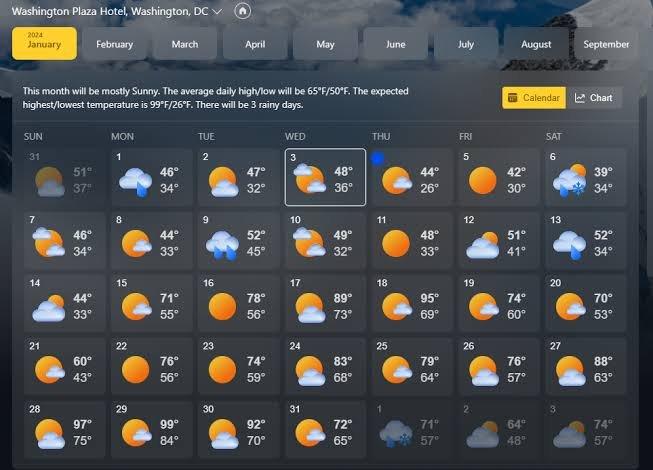
Cloud cover can have a noticeable impact on how the weather feels.
During the day, clouds can block some of the sun’s energy, which may keep temperatures lower than they would be under clear skies. At night, however, clouds can help retain heat near the ground. This is why cloudy nights can sometimes feel warmer than clear nights.
Can Clouds Help Predict Rain?
Cloud conditions can provide useful clues about upcoming weather, but they should not be considered a guarantee of rain.
Thick or dark clouds combined with a high chance of precipitation may indicate that rain or thunderstorms are approaching. On the other hand, thin or scattered clouds are often associated with calmer and drier conditions.
For a more accurate picture, check cloud cover alongside the rain probability, humidity, wind speed, and temperature.
Why Cloud Cover Is Useful in Everyday Life
Cloud information can be helpful for many different activities.
Photography: Clouds can create soft lighting or dramatic skies.
Stargazing: A low cloud percentage usually means better visibility of the night sky.
Outdoor Activities: Hikers, travelers, and event planners can use cloud forecasts when deciding the best time to go outside.
Solar Energy: Heavy cloud cover can reduce the amount of sunlight reaching solar panels and may lower energy production.
Travel Planning: Checking hourly cloud conditions can help you prepare for changing weather during a journey.
How to Get Better Weather Information
For more useful results from MSN Weather, keep these simple tips in mind:
- Use your exact location so the forecast is relevant to your area.
- Check the hourly forecast because cloud conditions can change throughout the day.
- Compare several weather factors instead of relying only on the cloud icon.
- Check the forecast again before important plans, especially when traveling or organizing outdoor activities.
Final Thoughts
Cloud information may look simple, but it can tell you a lot about the expected conditions throughout the day. By understanding weather icons, cloud percentages, and hourly changes, you can make better decisions about clothing, travel, photography, outdoor activities, and more.
The next time you open MSN Weather, don’t just look at the temperature. Take a moment to check the clouds too. They can give you a useful picture of how the weather is likely to develop.